
Fast Jot for Notion
From the thought to Notion, instantly.
Open it, write, and save to Notion with one tap.
Even if a send fails, what you wrote is never lost.
iPhone and iPad (iOS 18.6 or later) · Android 11 or later · Free to download
Features
What it does
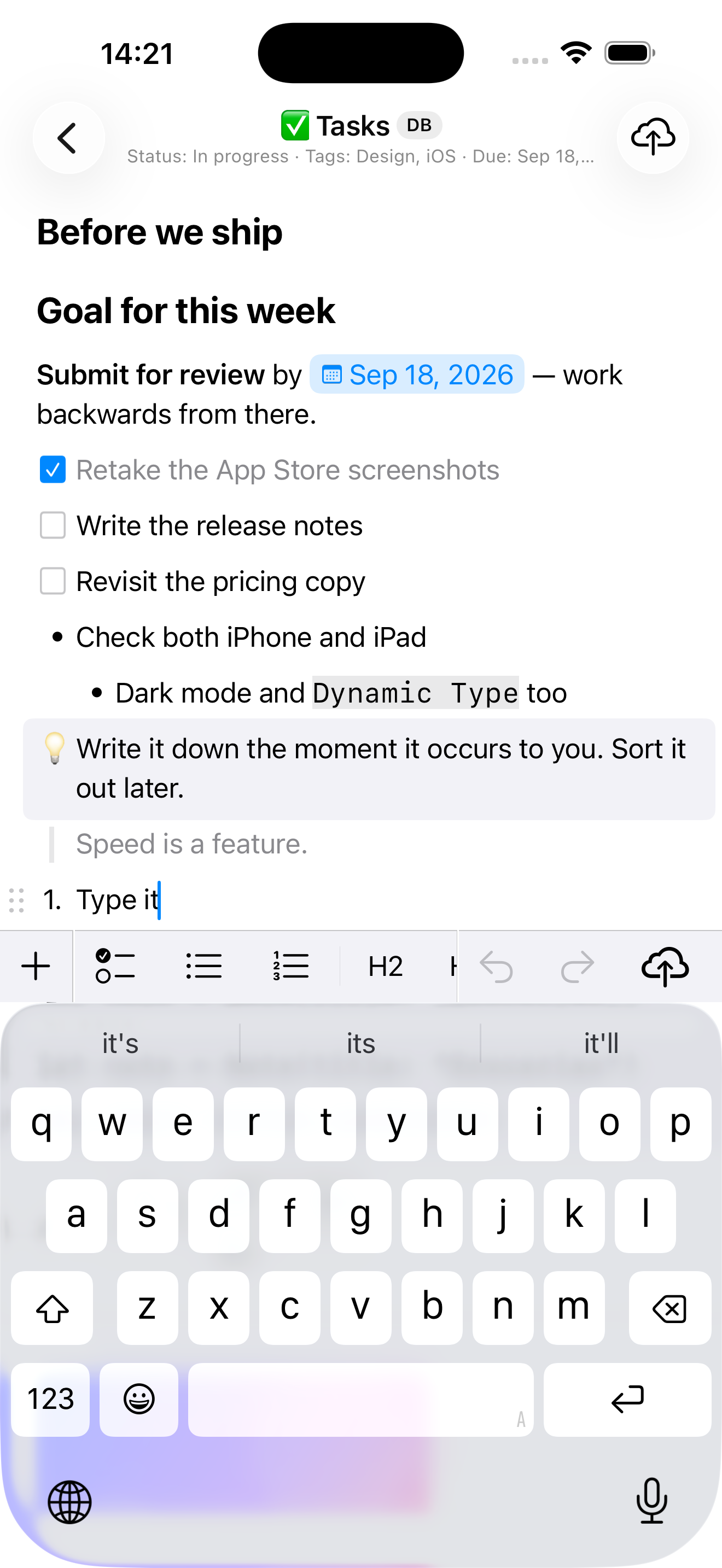
Start typing the moment it opens
The editor is focused on launch, so nothing gets in the way of the thought you just had.
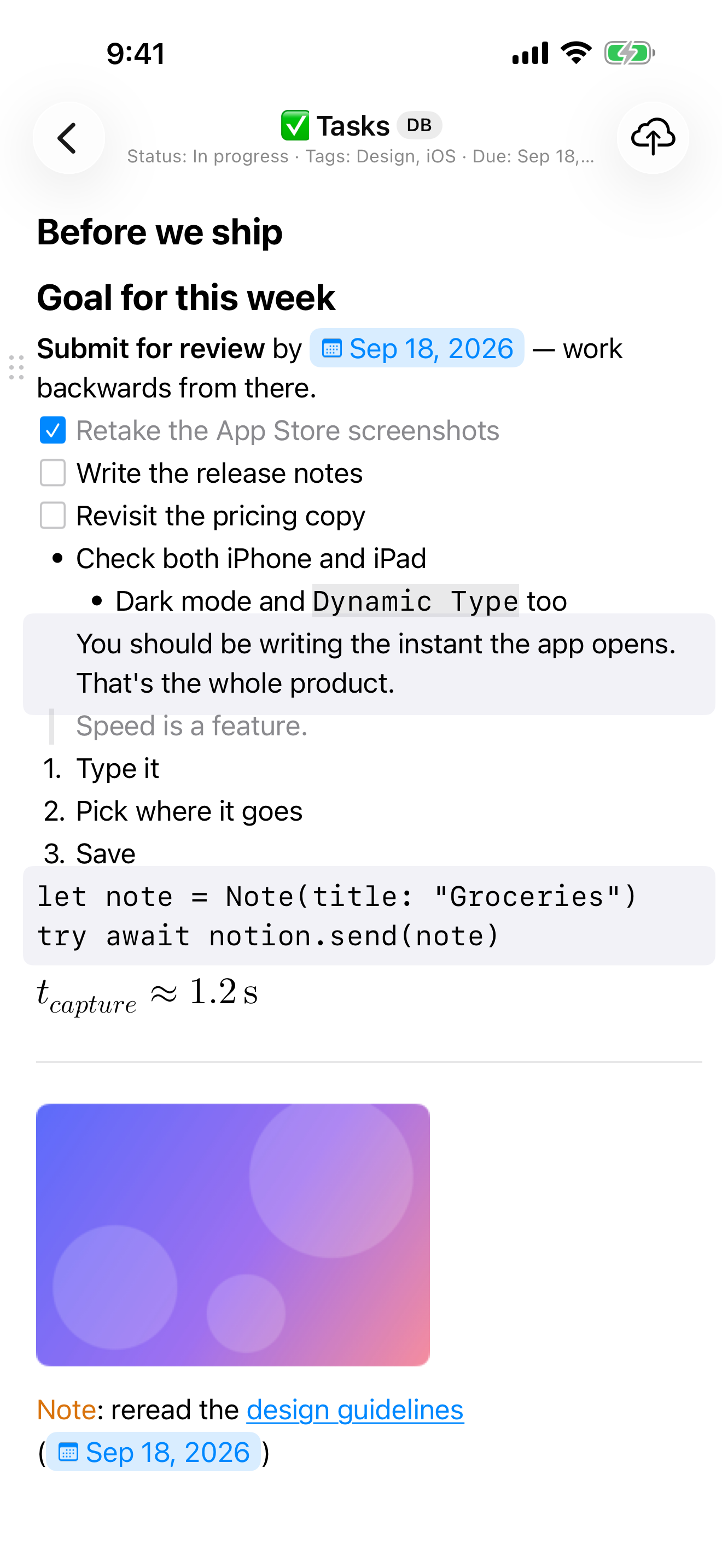
Write real Notion blocks
Headings, checklists, code, quotes — the Notion writing experience, on your iPhone.
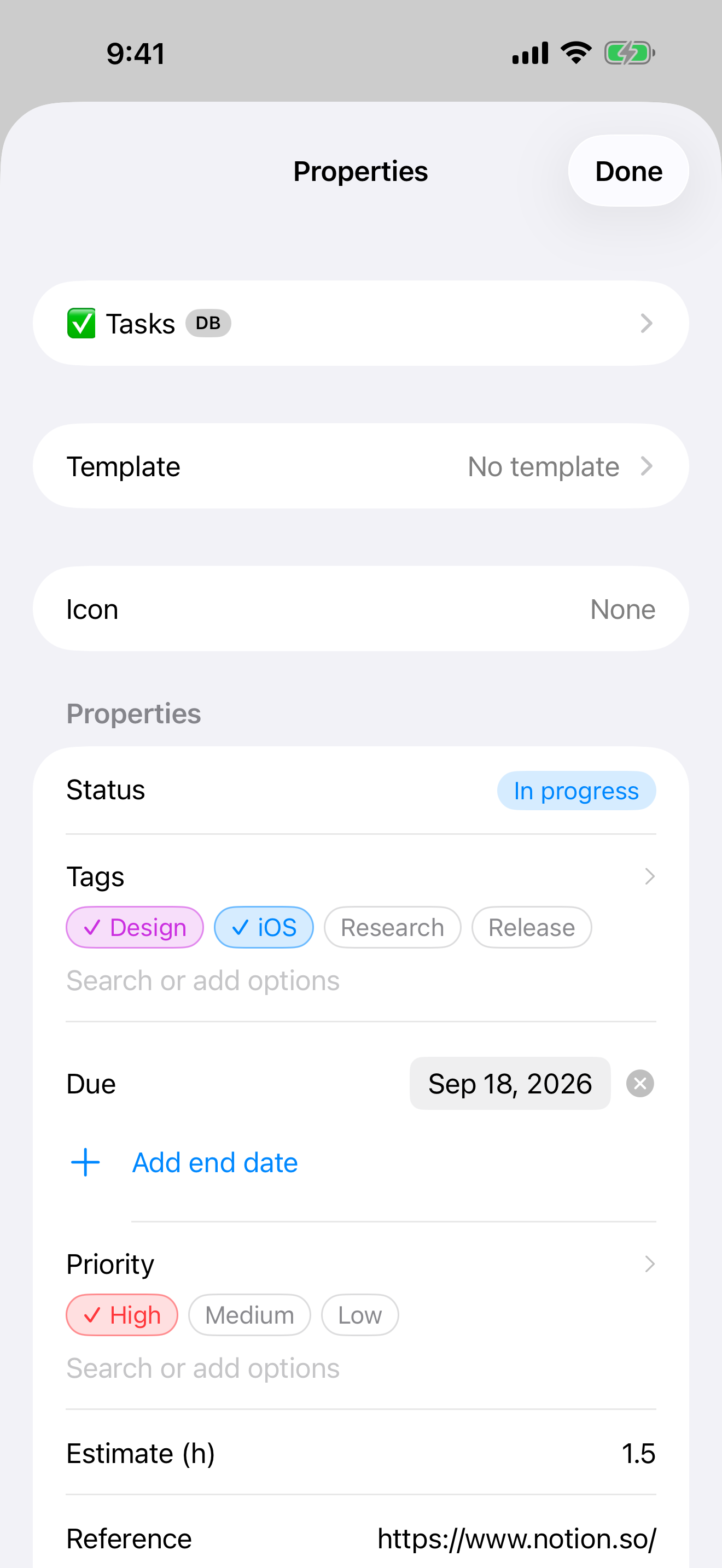
Set properties before you send
Status, tags, due dates and other database properties can all be set right in the app.
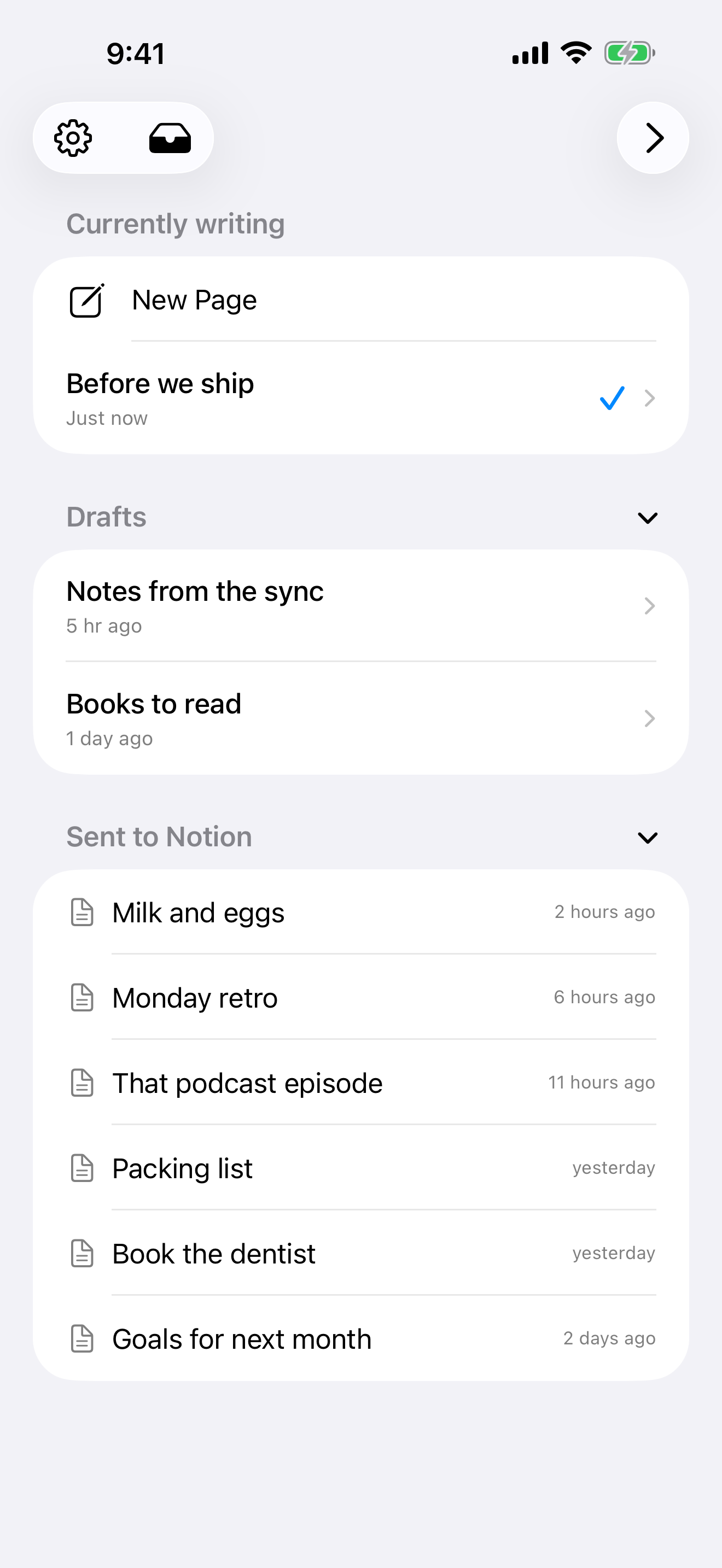
Open an existing Notion page and edit it
Open an existing page from search or your favorites and rewrite it in place. There is no save button — what you write syncs to Notion on its own.
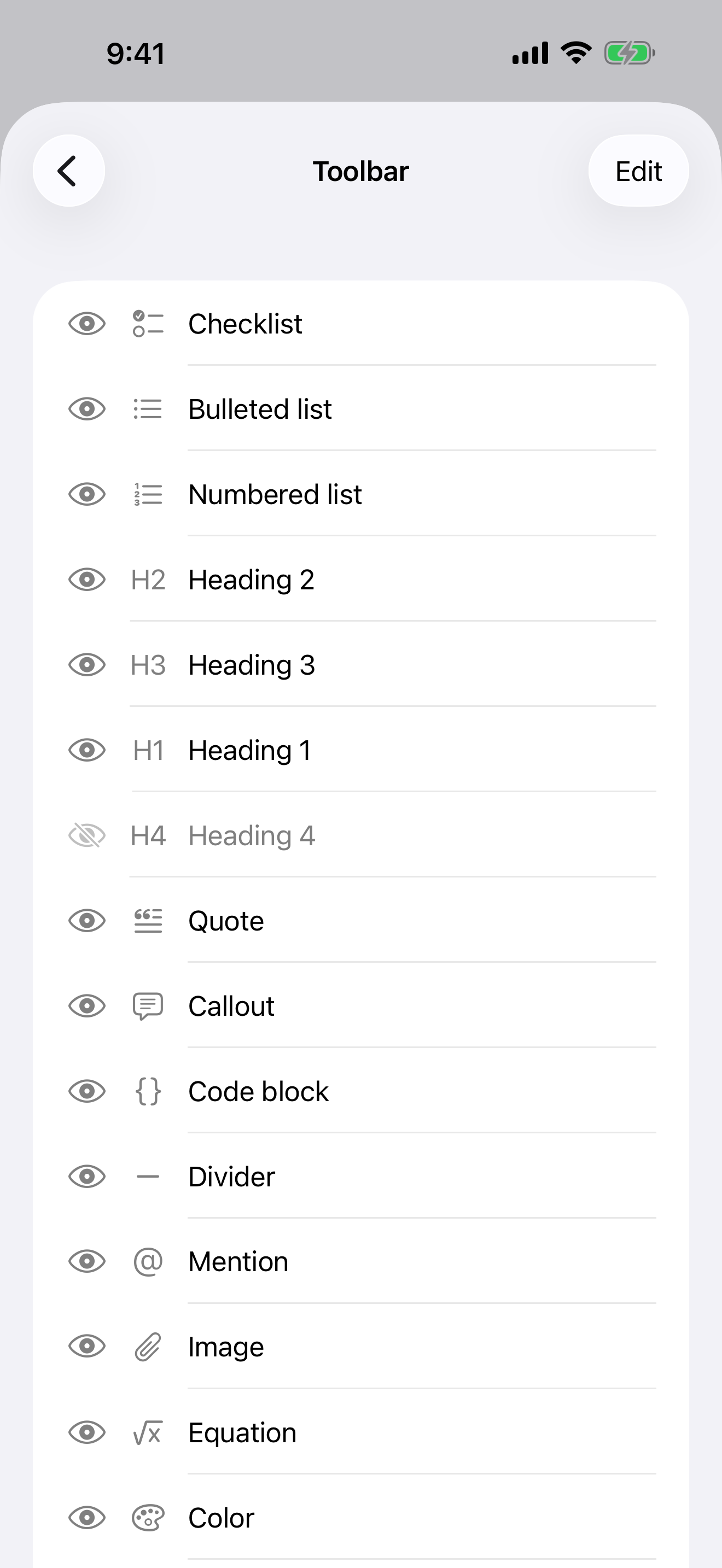
Make the toolbar yours
Keep the blocks you use, hide the ones you don't.
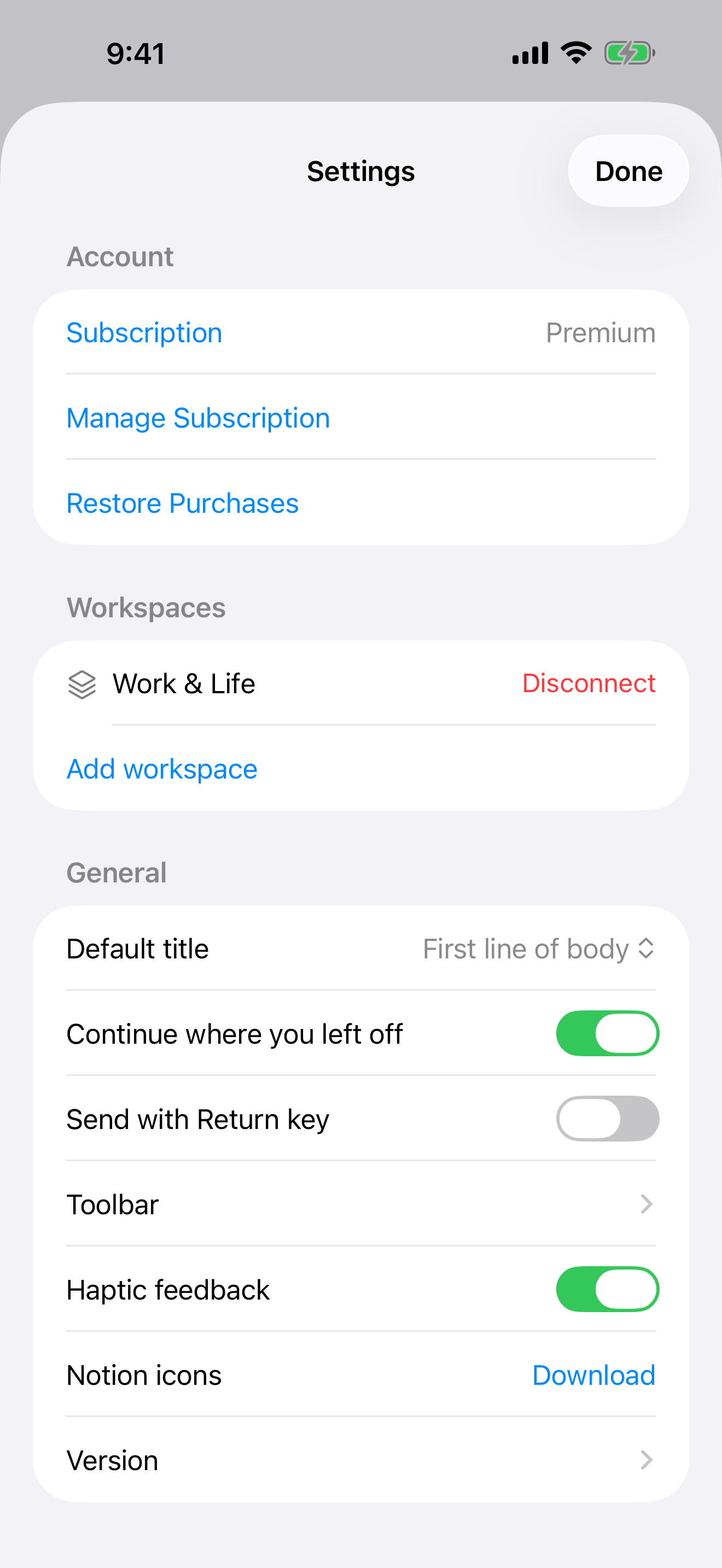
Multiple workspaces
Connect more than one Notion workspace and switch between work and personal.
And more
Reviews
What people say
It's ready before I am
No hunting for the cursor after launch. I just type the thing I thought of, so I stop losing ideas between opening the app and writing.
I don't have to watch it send
I write on the subway and it goes in by itself once I'm back on signal. Not having to stare at a spinner turns out to matter a lot.
Real Notion blocks
Checklists, headings, code — nothing needs reformatting on the Notion side afterwards. I open the page later and it's just usable.
Properties get done too
Setting status, due date and tags before sending means tasks don't pile up as rows I'll 'sort out later'. The database actually works.
I can keep adding to one page
No more creating a new page every time. I search for the page, open it and keep writing, so my daily log lives on a single page.
Work and personal stay apart
I keep several workspaces connected and just switch the destination. Notes stopped landing in the wrong place.
Pricing
Pricing
Premium
1 week freeEverything in Free, plus every row in the table above.
Yearly
$14.99 / year
About $1.25 a month — roughly 37% less than monthly
Monthly
$1.99 / month
Lifetime
$29.99
A one-time purchase. No auto-renewal.
1 week free, then $14.99 / year
The yearly plan includes a 1 week free trial. Subscriptions renew automatically until canceled, and can be managed or canceled anytime in the App Store or Google Play. Lifetime is a one-time purchase with no auto-renewal. Prices are from the U.S. App Store as of August 28, 2026 and may vary by country or region.
Get it into Notion right away
Available on the App Store and Google Play